Otio
Otio is an AI research assistant that transforms documents, videos, and transcripts into structured starting points with verified citations.
About Otio
Otio serves as an AI research assistant and writing partner, allowing users to upload various sources like PDFs, articles, videos, and transcripts to generate a structured starting point for work. It is designed for researchers, consultants, and professionals who need to synthesize information across multiple sources while ensuring every claim is accurately cited back to the original material. The platform supports multiple AI models and integrates with cloud storage and reference managers.
Key Features
AI Research Assistant & Writing Partner
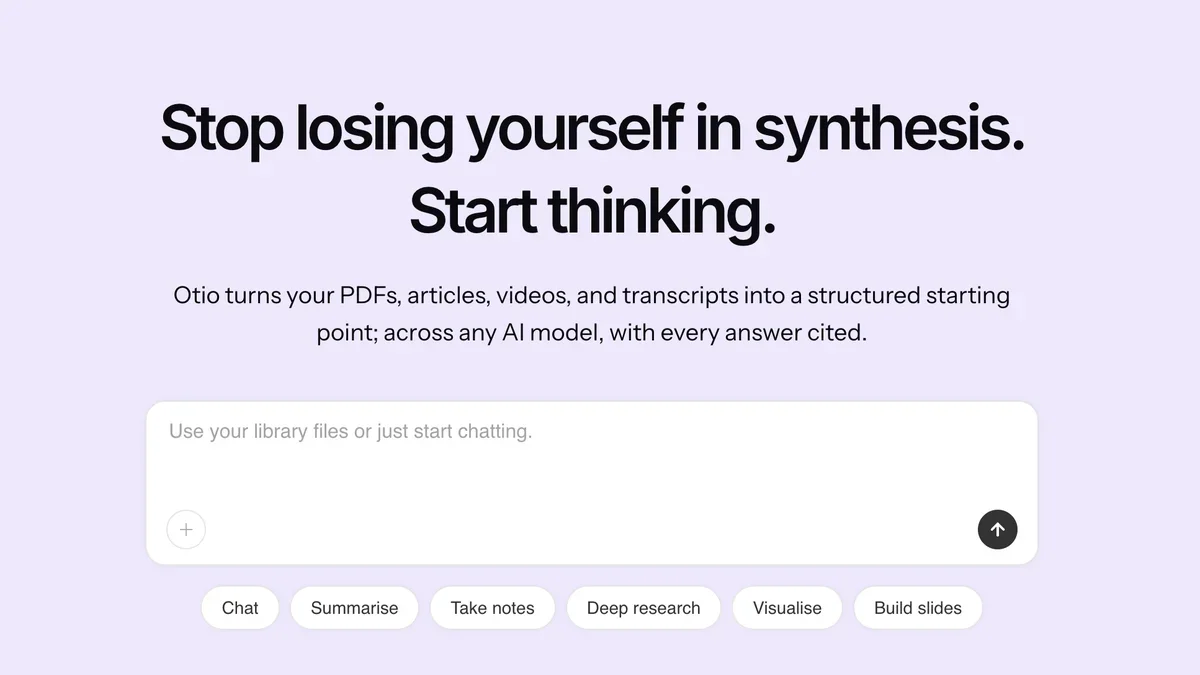
Otio transforms your PDFs, articles, videos, and transcripts into a structured starting point, working across any AI model while ensuring every answer is cited.
Verified Citations
Every answer generated by Otio cites the exact page or source material, allowing users to check the cited passage with one click for accuracy.
Multi-Source Synthesis
Users can pull arguments, key findings, and quotes across all uploaded sources (articles, videos, podcasts) and have them grouped by theme for easy analysis.
Cloud and Reference Manager Integration
Otio connects with popular services like Google Drive, Dropbox, OneDrive, Box, Zotero, and Mendeley to easily ingest research materials.
Visualization and Document Generation
Beyond text analysis, the tool supports creating visualizations directly from CSV files and generating documents, charts, and images.
Dual Chat Functionality
Users have the ability to run simultaneous chats across different AI models within the same workspace for comparison or specialized tasks.
Use Cases
Academic Research Synthesis
PhD students or academics can upload numerous research papers and transcripts to quickly pull key arguments and findings grouped by theme, ensuring all outputs are traceable to the source document.
Professional Consulting Analysis
Consultants can ingest client reports, market data, and internal documents to rapidly generate structured summaries and extract specific figures needed for client deliverables.
Content Creation from Multimedia
Users can upload video transcripts or audio recordings and use Otio to summarize key points or extract quotes, turning unstructured media into actionable text.
Comparative AI Model Testing
Researchers can leverage the Dual Chat feature to compare how different underlying AI models interpret and synthesize the same set of source materials.
Efficient Literature Review
Researchers can use the platform to ingest dozens of articles, highlight sections, and ask context-aware questions to build a comprehensive literature review foundation quickly.
Data-Driven Visualization
Analysts can upload CSV files directly into Otio to generate charts and visualizations based on the data contained within, integrating data analysis into the research workflow.
FAQ
Can I trust Otio to give me accurate information?
Otio is designed to work strictly with your uploaded sources; it generates answers only from the material provided, cites every claim back to the exact source, and indicates when information is missing rather than hallucinating.
Why wouldn't I just use ChatGPT?
Otio provides a unified workspace for every AI model, ensures every answer is cited against your sources, and prevents the loss of context that occurs when switching between separate tools like ChatGPT, Claude, and Gemini.
What types of sources can I use with Otio?
You can upload PDFs, articles, videos, and transcripts, or connect cloud storage services like Google Drive, Dropbox, and OneDrive, as well as reference managers like Zotero and Mendeley.
What is the pricing model and is there a free plan?
There is a Free plan available that offers limited monthly AI usage. Paid tiers are available with monthly and yearly billing options.
Does Otio support complex research workflows?
Yes, higher tiers allow users to run complex multi-step research workflows daily and run parallel research across multiple projects simultaneously.
How does Otio handle citations?
Every answer is cited back to the source material, and users have the ability to check the cited passage in one click to verify the context.