Surfshark
Surfshark is a powerful VPN service bundled with identity protection tools, offering robust security, an audited no-logs policy, and unlimited simultaneous device connections.
About Surfshark
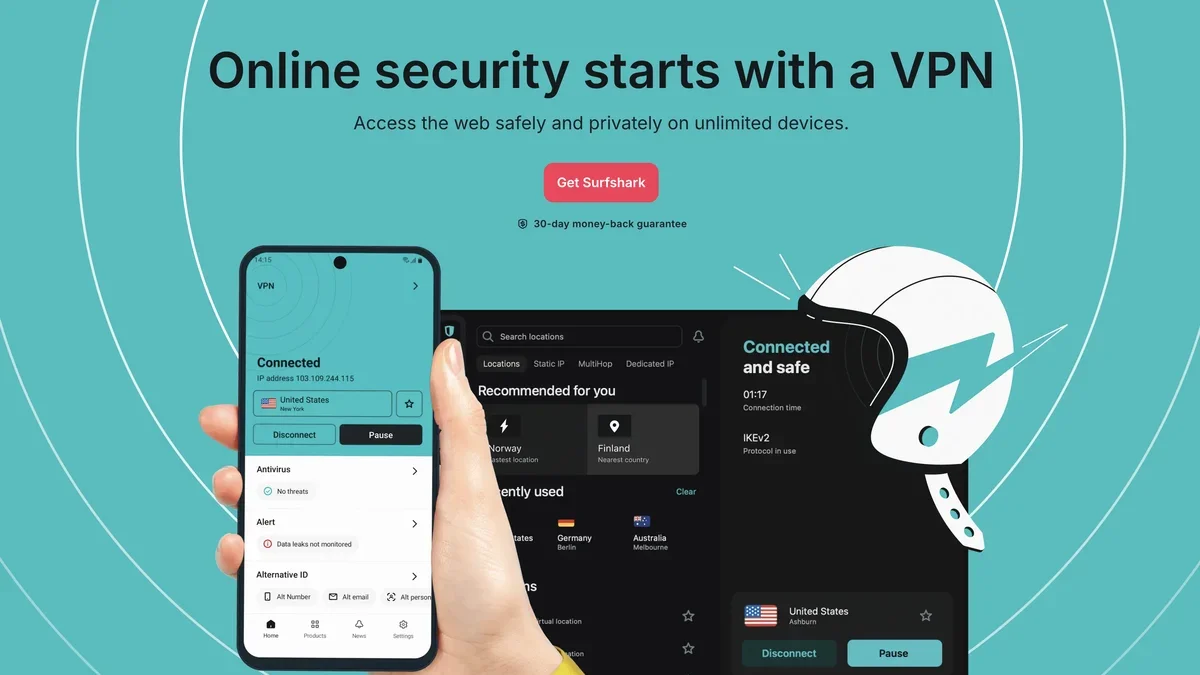
Surfshark delivers robust online security and privacy through its audited no-logs VPN, real-time defense, and advanced identity protection tools like ALERT and INCOGNI.
Key Features
Unlimited Simultaneous Connections
A single Surfshark subscription allows you to protect an unlimited number of devices simultaneously, making it ideal for securing your entire household's Windows, macOS, Android, and iOS setups.
Audited No-Logs Policy & Security
Surfshark maintains a strict, audited no-logs policy, ensuring that your online activities are never tracked, logged, or stored, upholding maximum user privacy.
Real-Time Defense & CleanWeb
Benefit from Surfshark Antivirus that scans files before opening to prevent malware, alongside CleanWeb, which actively blocks ads, trackers, and malicious websites for an ad-free browsing experience.
Advanced Identity Protection Suite
Gain peace of mind with features like ALERT, which notifies you of personal data leaks, and Identity Theft Coverage offering up to $1M reimbursement and investigator support.
Dynamic MultiHop (Double VPN)
For enhanced anonymity, Dynamic MultiHop allows you to route your traffic through two separate VPN servers, creating custom entry and exit pairs for superior obfuscation.
Nexus Technology & IP Rotation
Leverage Nexus technology, which includes the IP Rotator feature, automatically changing your IP address every few minutes without interrupting your secure VPN connection.
Use Cases
Bypassing Network Restrictions
Use the NoBorders feature when facing restrictive networks; it intelligently detects limitations and provides a curated list of servers optimized to bypass those specific restrictions.
Protecting Against Data Brokers
Utilize the INCOGNI service to automatically contact data brokers on your behalf, demanding the removal of your personal information from their databases.
Securing Public Wi-Fi Connections
When connecting to unsecured public hotspots, Surfshark’s VPN automatically engages with features like Auto-connect, ensuring your data is encrypted and protected from eavesdroppers.
Preventing Online Tracking and Ads
Activate CleanWeb and the Cookie pop-up Blocker to reject tracking cookies instantly on major browsers and eliminate intrusive ads, banners, and pop-ups while browsing.
Maintaining Connection Stability
For users requiring constant uptime, Surfshark Everlink provides patented, self-healing technology that instantly restores any dropped VPN connections, ensuring continuous security.
Secure Remote Access with Static IP
If you need consistent remote access to internal applications or wish to host a small game server, a dedicated Static IP address provides a reliable, unchanging endpoint.
FAQ
Which operating systems are compatible with Surfshark?
Surfshark is compatible with all major platforms including Windows, macOS, Linux, Android, and iOS, as well as dedicated apps for Android TV and FireTV, plus browser extensions for Chrome, Firefox, and Edge.
Does Surfshark offer protection against identity theft?
Yes, Surfshark includes Identity Theft Coverage which provides access to licensed investigators and offers up to $1M in reimbursement for recovery expenses related to identity theft.
What happens if my VPN connection drops unexpectedly?
If the VPN connection drops, the Kill Switch feature immediately cuts off your internet access, preventing any unencrypted data from leaving your device and exposing your real IP address.
Can I use Surfshark on my entire family's devices?
Absolutely, Surfshark supports unlimited simultaneous device connections under a single subscription, allowing you to secure every device in your household.
How does Surfshark ensure my privacy if my connection is unstable?
Surfshark Everlink is a patented technology designed to maintain connection integrity by instantly restoring any dropped VPN sessions, ensuring you remain protected without manual intervention.
Can I choose which apps use the VPN tunnel?
Yes, the Split Tunneling feature (also known as Bypasser) allows you to manually select specific applications or websites to route their traffic through the encrypted VPN tunnel, while leaving other traffic outside of it.